Physical Data Locations – Microsoft 365
- ---Intro
- Quick way to show data locations
- Microsoft Services data locations – Microsoft Learn
- Dig deeper
- Entra ID
- Exchange Online
---Intro
Data within a Microsoft 365 tenant can be placed several places and for a customer it can be challenging to know where data is physically stored.
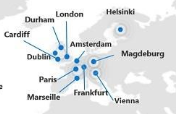
Whenever the abbreviation EUR is showed, for Microsoft 365 it spans across multiple datacenters:
- (vi) Vienna, Austria
- (he) Helsinki, Finland
- (db) Dublin, Ireland
- (am) Amsterdam, the Netherlands
Quick way to show data locations
Microsoft provides a simple way of getting this info.
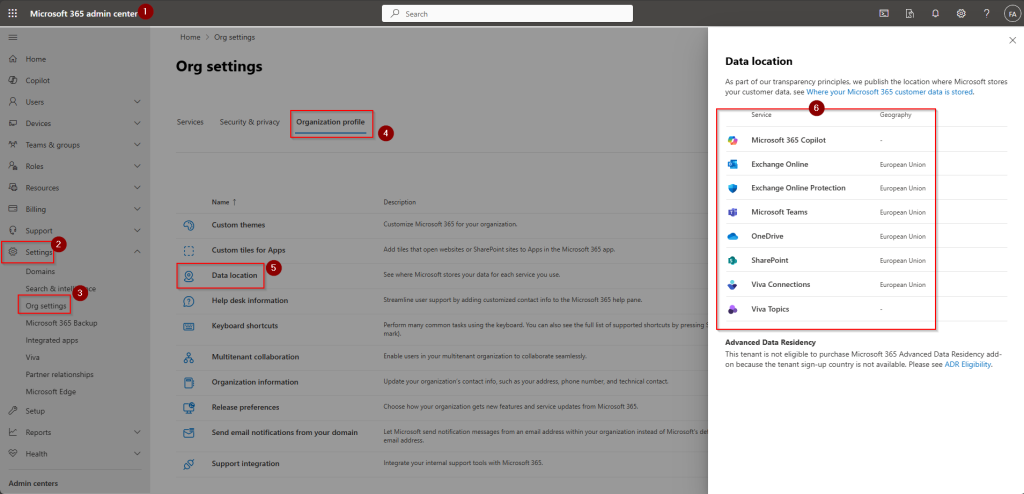
- Sign in to Microsoft 365 Admin Center (https://admin.microsoft.com/Adminportal )
- Navigate to Settings, Org Settings, Organization Profile and then Data location
Here you can see that data for this tenant is stored within EU.
Microsoft Services data locations – Microsoft Learn
Other Microsoft 365 services can be found is this article from Microsoft:
Data Residency to other Microsoft 365 Services – Microsoft 365 Enterprise | Microsoft Learn
Dig deeper
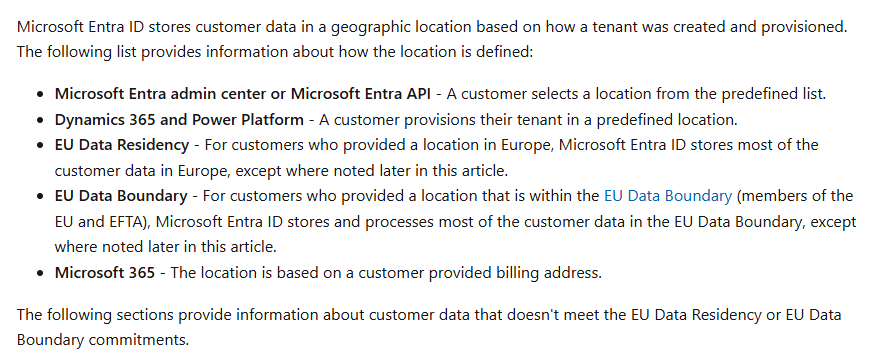
But what if you would like to know exactly there data is placed within paired regions? We know that EU datacenters span across multiple regions. West Europe and North Europe beeing the 2 largest datacenters, but more locations are used aswell.
Entra ID
| Service | Denmark |
|---|---|
| EID Directory Management | Ireland |
| Netherlands | |
| Access ReviewsTerms of Use | Ireland |
| Netherlands | |
| App Proxy | Ireland |
| Netherlands | |
| Authentication | Ireland |
| Netherlands | |
| Entra ID Domain Services | Ireland |
| Netherlands | |
| B2B | California |
| Ireland | |
| Netherlands | |
| Texas | |
| Virginia | |
| B2C | Ireland |
| Netherlands | |
| Connect Health | Ireland |
| Netherlands | |
| Groups Management | Ireland |
| Netherlands | |
| Identity Protection | Ireland |
| Netherlands | |
| MFA | Ireland |
| Netherlands | |
| Virginia | |
| Washington | |
| Wyoming | |
| Privileged Identity Management | Ireland |
| Netherlands | |
| Reporting (Activity Logs) | Ireland |
| Netherlands | |
| Self Service Password Reset | Ireland |
| Netherlands |
Source: Is Your Office 365 Data Secure? Here’s Where Microsoft Stores It
Exchange Online
- Open PowerShell
- Connect to Exchange Online with command
Connect-ExchangeOnline - Run following command to show locations of mailboxes
get-mailbox | select-object servername - See the output of the command
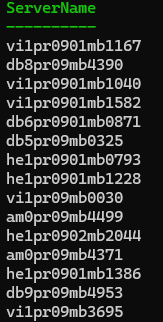
- Compare output with below information
- vi stands for Vienna, Austria
- he stands for Helsinki, Finland
- db stands for Dublin, Ireland
- am stands for Amsterdam, the Netherlands
- In our example, you can see that mailboxes in the same tenant, are located across multiple datacenter locations.
Have feedback on this post?
Send me a message and I'll get back to you.
