EasyEntra: Review
- Disclaimer
- Intro
- Key Features (as tested + from documentation)
- What I Found in Practice (feedback + observations)
- Strengths (where it really shines)
- Weaknesses / Possible Improvements
- Overall Assessment
- Upcoming features
- Recommendation
Disclaimer
This review is not in any way sponsored by EasyEntra or any other company. This review is written 100% free of charge, and should not be seen as a commercial, only as a tech blogger given an honest review about a product available to use.
Intro
What is EasyEntra?
EasyEntra is a tool for managing Microsoft 365 / Entra ID tenants (and hybrid AD environments) from a unified, more user-friendly interface. It aims to reduce dependence on PowerShell/scripts and multiple admin portals, making many common user‑management and support tasks easier, faster, and less error‑prone.
I love PowerShell and other kinds of scripting languages. Everything I do more than once, I like to write automation scripts for. But I have also worked in several MSP/CSPs now and I know from experience that not all IT professionals share the same love for scripting tools. ClickOps is alive and well within most IT departments, even for repetitive tasks. Scripts would have the benefit of not lacking options – but they need to be maintained, and this is where most IT departments fail. This review shines some light on a tool that could help overcome some of the issues most IT department faces doing repetitive tasks around user management.
Key Features (as tested + from documentation)
From what I have tested and what EasyEntra advertises, the main features include:
- Single console for both cloud‑only and hybrid AD/Microsoft 365/Entra ID environments.
- Multi‑tenant and multi‑Active Directory support: fast switching between tenants; can manage more than one directory / domain. Useful for MSPs.
- Common user lifecycle tasks made much simpler: onboarding, offboarding, copying users (including groups, licences, mailbox settings) etc.
- Decommissioning users / “decommission hybrid or cloud user” workflows, with a set of automated options.
- Delegate calendar access, group membership, etc., all via UI‑driven controls rather than needing to run scripts.
- No heavy infrastructure requirements; install / configure quickly (took around ~3 minutes). As as MacOS user I was however missing a version for MacOS, but I also believe that the primary audience uses Windows.
- Free / Freemium model for small tenants (< 25 licensed users) without feature limitations (includes AD-only management (no limit on user count))
- Security: authentication via Microsoft Graph, FIDO2‑compatible OAuth2; no need for a special service account; tokens stored securely, etc.
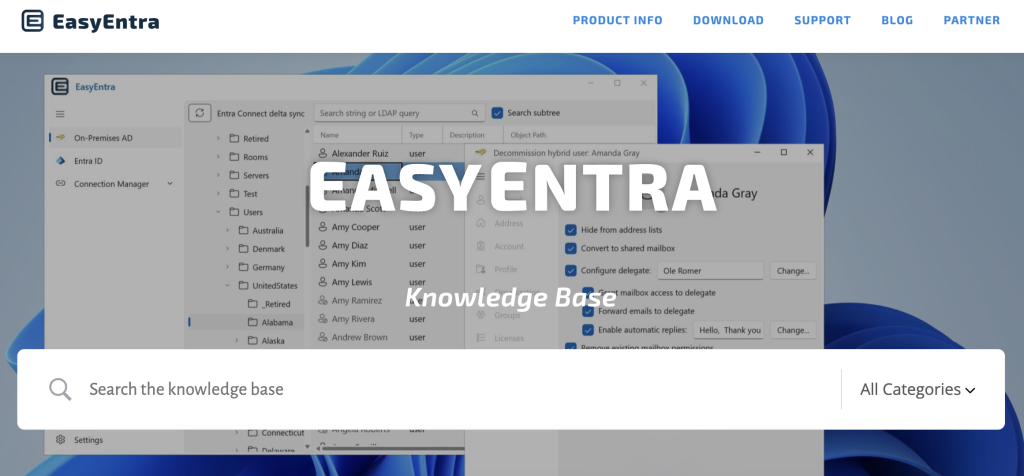
- Great documentation. EasyEntra website contains loads of guides for various tasks, making it easy to gain knowledge about completing a certain task.
https://easyentra.com/knowledge-base/
What I Found in Practice (feedback + observations)
Based on my testing, here are strong positives and places for improvement:
Positives:
- For frontline / helpdesk staff, the UI and workflows are a big win. Tasks that would normally require finding and running a script (or switching among several Microsoft portals) are now available in one place. That reduces context‑switching and training needs.
- It speeds up responses; tickets are resolved faster. Minor tasks don’t need escalation to more technical staff (unless there is something unusual).
- As an MSP with multiple customers, managing multiple tenants / directories is smoother. Switching is fast, visibility is good.
- Errors are fewer: since the UI enforces or helps avoid mistakes (e.g. missing group membership, mailbox settings, etc.), there is less chance of forgetting something when onboarding or offboarding.
- The “copy user” or “clone user” function (copying licenses, groups, mailbox settings) is very helpful: saves time and ensures consistency.
“Fit” for Different Types of Users
Here’s how I see this performing depending on the role:
| User Type | How Well EasyEntra Serves Them | Caveats |
|---|---|---|
| First‑level helpdesk / frontline support | Excellent. Frees them from scripting, multiple portals; can accomplish the majority of “day‑to‑day” user tasks efficiently. | Might still need escalation for very custom tasks / unusual environment configurations. Training will still be needed to ensure they understand what tasks should not be done without oversight. |
| MSPs / Support across multiple customers / tenants | Very good. Multi‑tenant support means switching is smoother; consistent workflows across clients helps in managing multiple environments. Time savings scale. | Keeping track of variations in client setups might still require custom scripts or manual adjustments in some cases; not every tenant is perfectly standard. |
| Technical administrators / engineers | Useful as a productivity tool. For many routine tasks, saves time. But they will still need scripts for advanced/edge scenario, audit, advanced orchestration. | Could feel limiting if you want full control over every attribute or want automation beyond what the UI exposes. |
Strengths (where it really shines)
- Usability / user experience: The design seems well focused on reducing friction, less clicking around portals.
- Time savings: Especially for frequent operations (onboarding, offboarding, user changes, license and group assignments).
- Reduced dependency on scripting: Helps organizations whose helpdesk staff are not deeply script‑savvy.
- Quick setup and low infrastructure overhead: For small/medium environments, you can get going fast.
- Feature addition: EasyEntra adds new advanced features rapidly and wants to hear what features customers wants to be part of the product.This means that customers can influence the product roadmap.
Weaknesses / Possible Improvements
- UI‑exposed tasks may lag behind what scripts allow; for some niche or advanced tasks, you still need PowerShell or Azure CLI.
- Custom attribute management or nonstandard configurations might not be fully supported.
- Audit / compliance features: while actions are traceable via Microsoft’s audit logs, sometimes more integrated logging or reporting (in EasyEntra) would help.
- Support for flows; I would like to see the possibility in the future to create custom onboarding and offboarding flows – like Access Packages and Identity Governance in Entra ID (Requires Entra ID P2 license or similar with these features included)
Overall Assessment
EasyEntra is, in my view, a strong tool for organizations that:
- Have multiple Microsoft 365 / Entra ID tenants or hybrid environments.
- Want to reduce the burden on higher‑level technical staff by enabling helpdesk / frontline personnel to safely perform common tasks.
- Want consistency, speed, and lower error rates in user onboarding/offboarding, group and license management etc.
It is less likely to completely replace scripting or manual PowerShell/CLI for advanced or highly customized scenarios, but that’s OK: it’s not trying to. It helps push routine tasks into a lower‑skilled, more available resource pool, freeing up senior admins for complex work.
Upcoming features
- EasyEntra is short-term implementing user templates to allow extensive templating without consuming actual licenses.
- EasyEntra is mid-term adding scripting capabilities (automation) to several features, most notably on- and offboarding.
Read more about it here: https://easyentra.com/easyentra-quarterly-update-new-features-exchange-removal-guidance/
Recommendation
If someone asked me whether to adopt EasyEntra, I’d say: yes — especially for organizations with a high number of users, or multiple tenants, where helpdesk efficiency and reducing complexity matter. It won’t fully eliminate PowerShell or the need for technical admins, but it shifts a lot of everyday admin work to more accessible tools with less risk.
Have feedback on this post?
Send me a message and I'll get back to you.
