Azure SQL Managed Instance – Windows Authentication – Cannot generate SSPI context
- Intro
- Articles to follow before reaching this point
- How to fix the issue
- Appendix: How to set permissions
- Prerequisites
- Create the user in the master database (optional)
- Example — Create an Entra ID Login:
- Create the user in the target database
- Grant permissions
- Example — Grant db_datareader and db_datawriter:
- What about Entra ID Groups?
Intro
I had configured all the pre-requisites I could read about in the articles for configuring Windows Authentication support via Entra ID for Azure SQL Managed Instance.
But when testing using SQL Studio Management, it would fail with the following error: The target principal name is incorrect. Cannot generate SSPI context
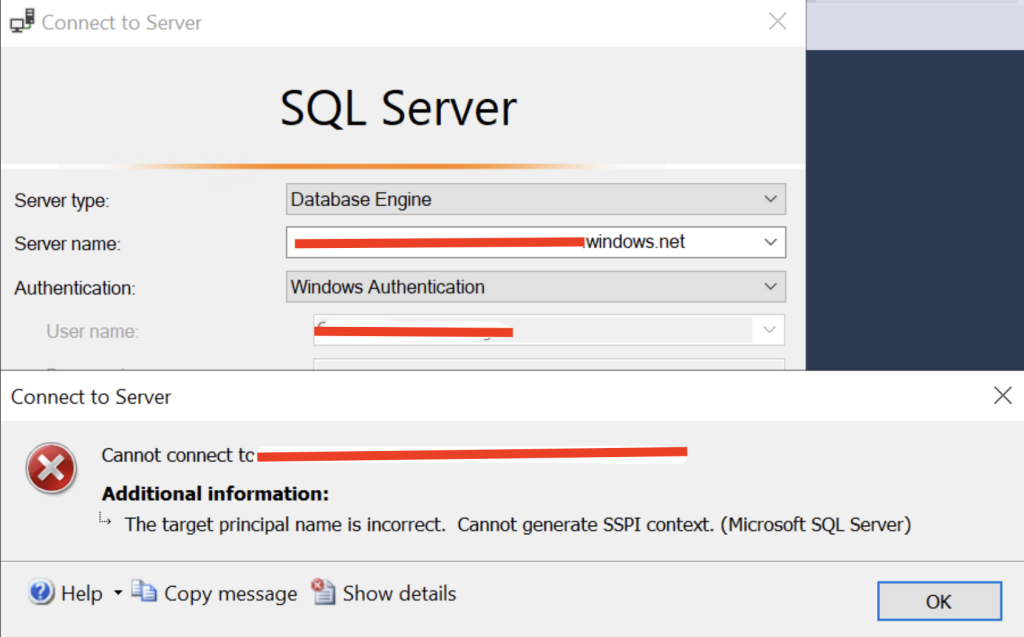
I knew that Entra ID with MFA support was working towards the SQL Managed Instance from SQL Studio Management, but from my Active Directory joined device, and a logged in user that was synced to Entra ID (and granted sysadmin permissions to the instance – see the section in this article about permissions: “How to set permissions” if you need help here because it is done with SQL queries), it did not work and gave me the error in mention.
Articles to follow before reaching this point
Follow this guide to setup initial configurations: https://learn.microsoft.com/en-us/azure/azure-sql/managed-instance/winauth-azuread-kerberos-managed-instance?view=azuresql
And then this article if you have a similar setup as me where my servers are Active Directory joined and my users are hybrid users: https://learn.microsoft.com/en-us/azure/azure-sql/managed-instance/winauth-azuread-setup-incoming-trust-based-flow?view=azuresql
How to fix the issue
I saw on my user in Entra ID, that I did had some sign-in log errors. Users on this article startes that non-interactive user sign-ins was showing the blockings, but I could see them on interactive user sign-ins:

The issue is with Conditional Access policies blocking (or interrupting the sign-in because of required MFA), but Windows Authentication using Kerberos does not support this flow and cannot handle MFA response.
On the CA policy blocking, we have to exclude the app registration (service principal) that is mentioned in the blocking details. Allow 10-15 minutes before testing. Also note that new entries in sign-in logs can also take several minutes.
Exclusion is done on the existing CA policy under Target Resources > Exclude
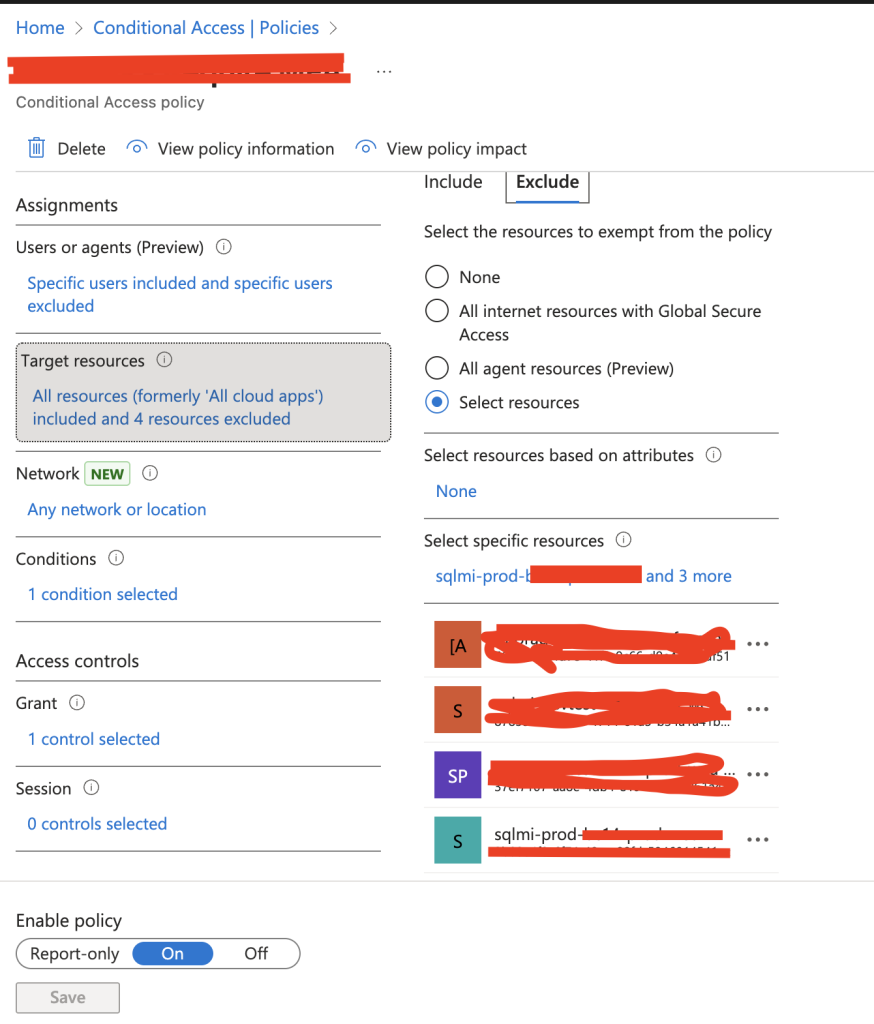
But if we do not add another CA policy to secure outside of our trusted network, we could expose the SQL Managed Instance.
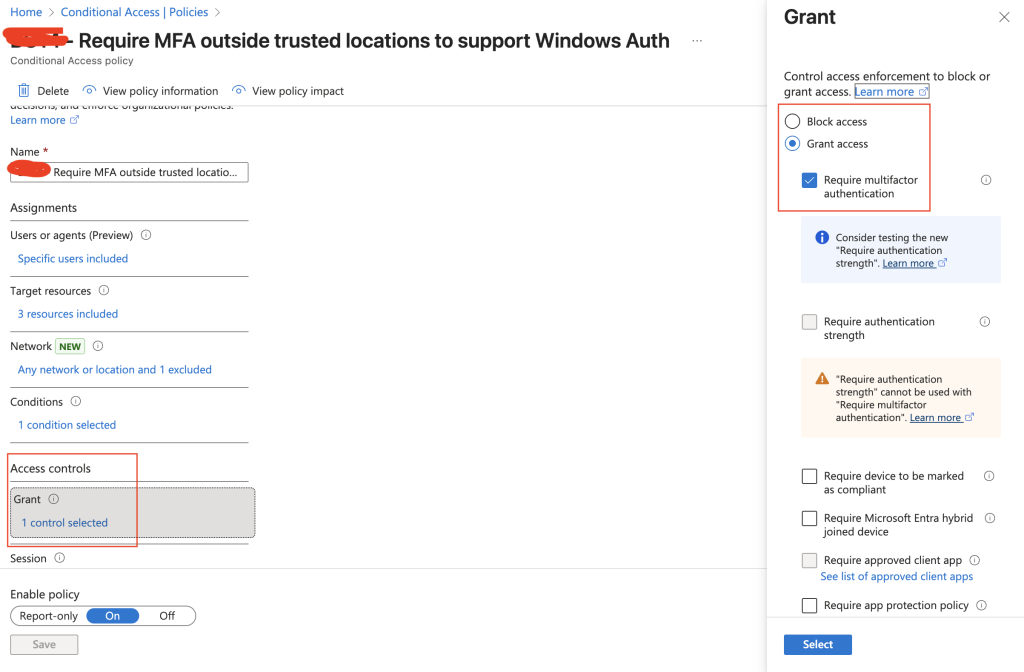
The new CA policy targets all users, but only targets the app registrations for the SQL Managed Instance. Then we exclude the public IP of our trusted IP addresses and grant access if MFA is fulfilled.
This will ensure that if our traffic does not originate from a trusted IP address we have defined, we still interrupt the sign-in and require MFA before issuing the ticket.
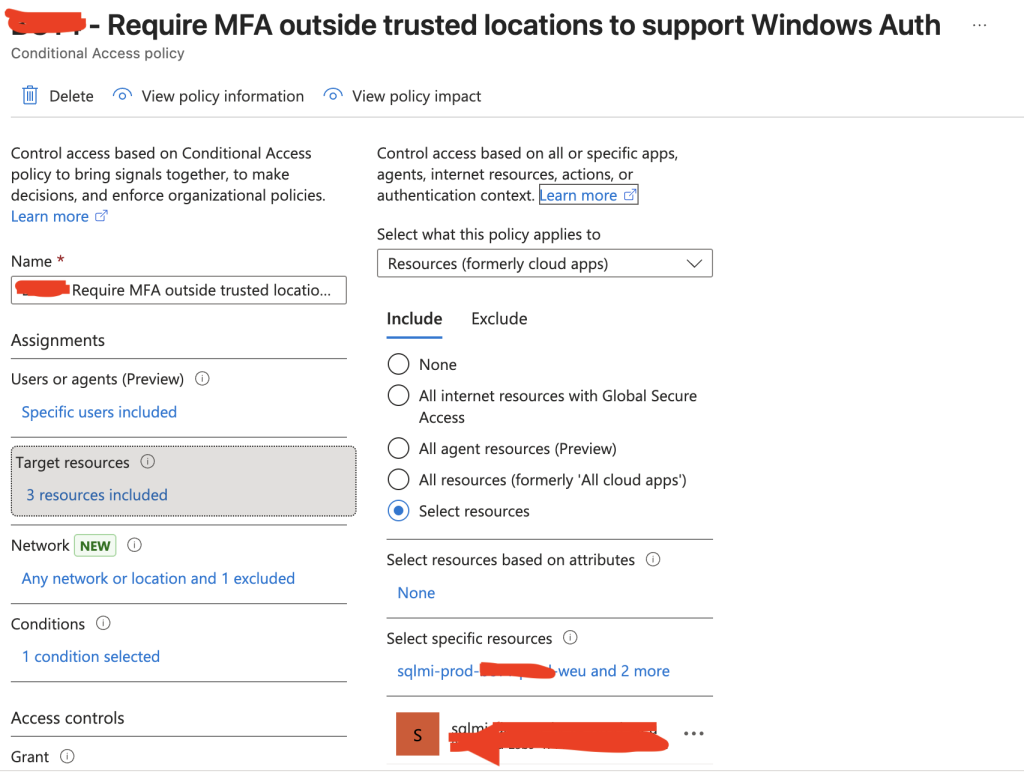
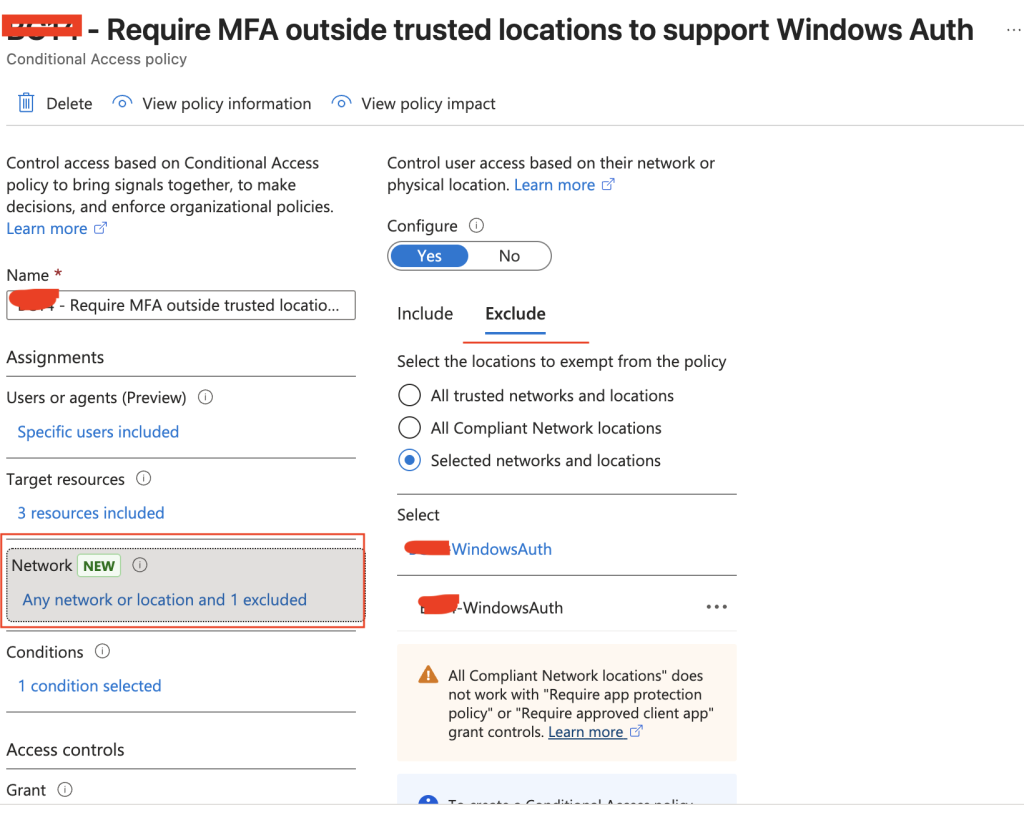
After configuring this, I was able to sign in to the SQL Managed Instance with Windows Authentication from SQL Studio Management and a legacy application that also had to connect to the databases in the SQL Managed Instance. With this configured, we could move the customers application from an older SQL Server in Windows Server in Active Directory, to a more modern platform service; SQL Managed Instance.
Appendix: How to set permissions
Prerequisites
- Your SQL Managed Instance must be Entra ID–integrated.
- An Entra ID Admin must be configured for the Managed Instance.
- You must connect using the Entra ID Admin account.
Create the user in the master database (optional)
Only needed for logins (server-level principals).
Example — Create an Entra ID Login:
CREATE LOGIN [john.doe@contoso.com] FROM EXTERNAL PROVIDER;This creates a server-level login tied to the Entra ID account.
Create the user in the target database
Switch to your user database:
USE MyDatabase;CREATE USER [john.doe@contoso.com] FROM EXTERNAL PROVIDER;Grant permissions
Assign a role or explicit permissions:
Example — Grant db_datareader and db_datawriter:
ALTER ROLE db_datareader ADD MEMBER [john.doe@contoso.com];ALTER ROLE db_datawriter ADD MEMBER [john.doe@contoso.com];Or assign custom permissions:
GRANT SELECT ON SCHEMA::dbo TO [john.doe@contoso.com];What about Entra ID Groups?
You can also add AAD groups directly:
CREATE USER [AppTeam-DB-Admins] FROM EXTERNAL PROVIDER;ALTER ROLE db_owner ADD MEMBER [AppTeam-DB-Admins];Have feedback on this post?
Send me a message and I'll get back to you.
