
1 min read
Created on
Azure Local – CPU reservations on virtual machines
Some application vendors require a CPU core reservation to be configured. However, this configuration can conflict with pre-update health checks.
It you encounter this error during updates, remove the CPU reservations:
Below you can see a picture of an active reservation. This number should be set to 0 while updating happens.
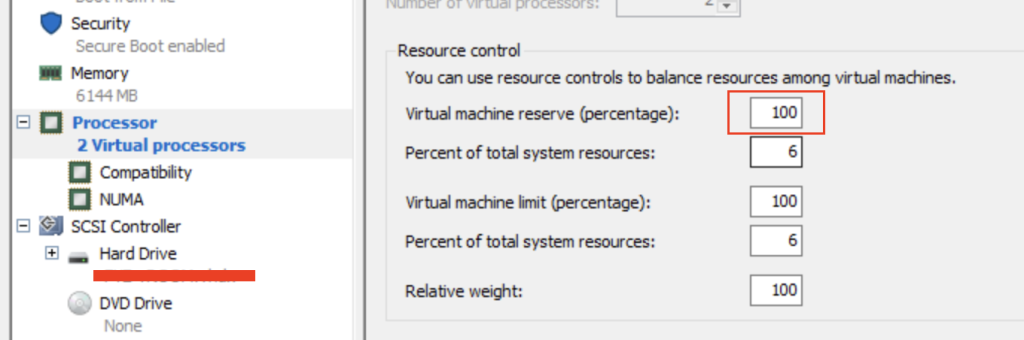
You can use PowerShell on a node to check which virtual machines have this setting configured:
Get-VM | ForEach-Object {
    $cpu = Get-VMProcessor -VMName $_.Name
    [PSCustomObject]@{
        VMName       = $_.Name
        CPU_Count    = $cpu.Count
        ReservePct   = $cpu.Reserve
        LimitPct     = $cpu.Limit
        Weight       = $cpu.Weight
    }
}
Have feedback on this post?
Send me a message and I'll get back to you.
