Azure Local – Azure Arc not installed error
If you see that one of your nodes in Azure Local shows as “Not installed” under the Arc status in the Azure Local Machines overview page in Azure Portal, this can be remediated by running the following commands in the next section. But start by verifing if integration is enabled:
Run this command to verify if Azure Local Arc integration is enabled on the node (it will likely show the node as disabled):
Get-AzureStackHCIArcIntegrationRemediation (Recommended)
Try to run the command below to enable it:
Enable-AzureStackHCIArcIntegrationThat will most likely fail and we can resume to the remediation command:
cd "C:\Program Files\AzureConnectedMachineAgent"

.\azcmagent.exe disconnect --force-local-only

Register-AzStackHCI -SubscriptionId "" -RepairRegistration -Region "WestEurope"
HINT: If you have been playing around with Arc and did a manual registration, you will have to remove that by using either of these commands (the command with –force-local-only is used when you have already deleted the Arc objects in Azure)
azcmagent disconnect
_
azcmagent disconnect –force-local-only_
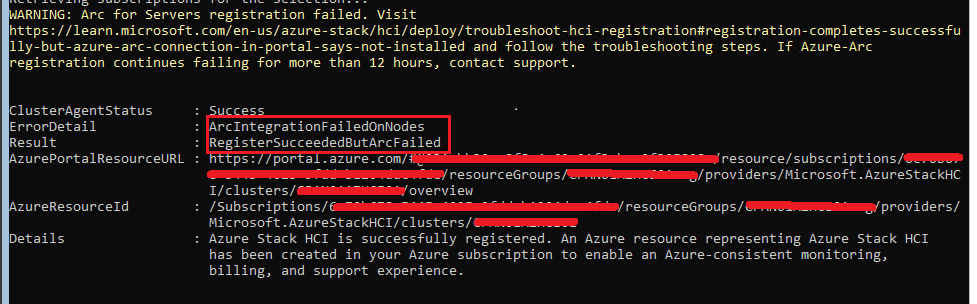
In my case the repair failed successfully (I always laugh at this expression):
ClusterAgentStatus : Success
ErrorDetail : ArcIntegrationFailedOnNodes
Result : RegisterSucceededButArcFailed
Details : Azure Stack HCI is successfully registered. An Azure resource representing Azure Stack HCI
has been created in your Azure subscription to enable an Azure-consistent monitoring,
billing, and support experience.
But I found out that it had repaired enough for this command to complete on each node in the stack:
Enable-AzureStackHCIArcIntegrationThe command completed now and a new run of the register-AzStackHCI command now completed without errors:

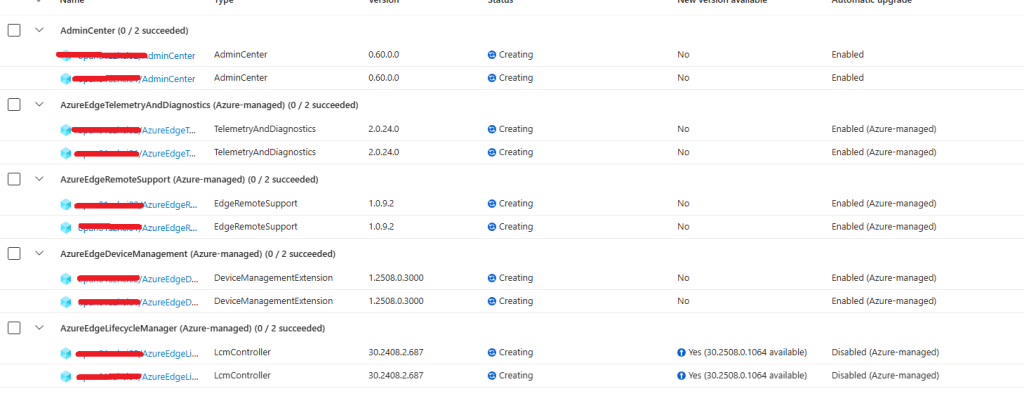
And I can see that extensions starts to deploy automatically:
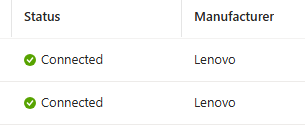
And after a few minutes I could see that my nodes was connected again:
Workaround (Not recommended)
If the recommended remediation fails and you need to get the nodes into Azure Arc (note that this will still show them as disconnected in Azure Local, because the stack did not handle the Arc registration), you can run this command to register the node with Azure Arc: (before running this command, ensure that no Azure Arc object for the node is present in Azure portal – if it is and it shows as disconnected, you can delete this object)
azcmagent connect --tenant-id "" --subscription-id " 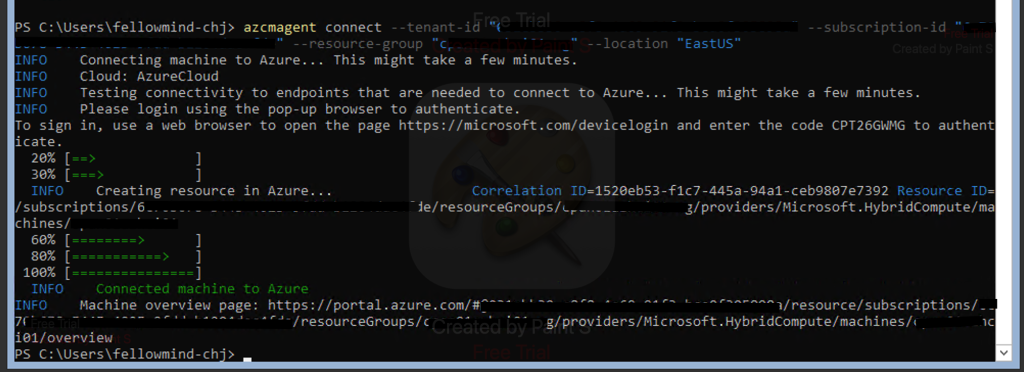 Run the command to enable Arc integration: ``` Enable-AzureStackHCIArcIntegration ``` This command shows us if the Azure Connected Machine Agent is working now: ``` azcmagent show ``` 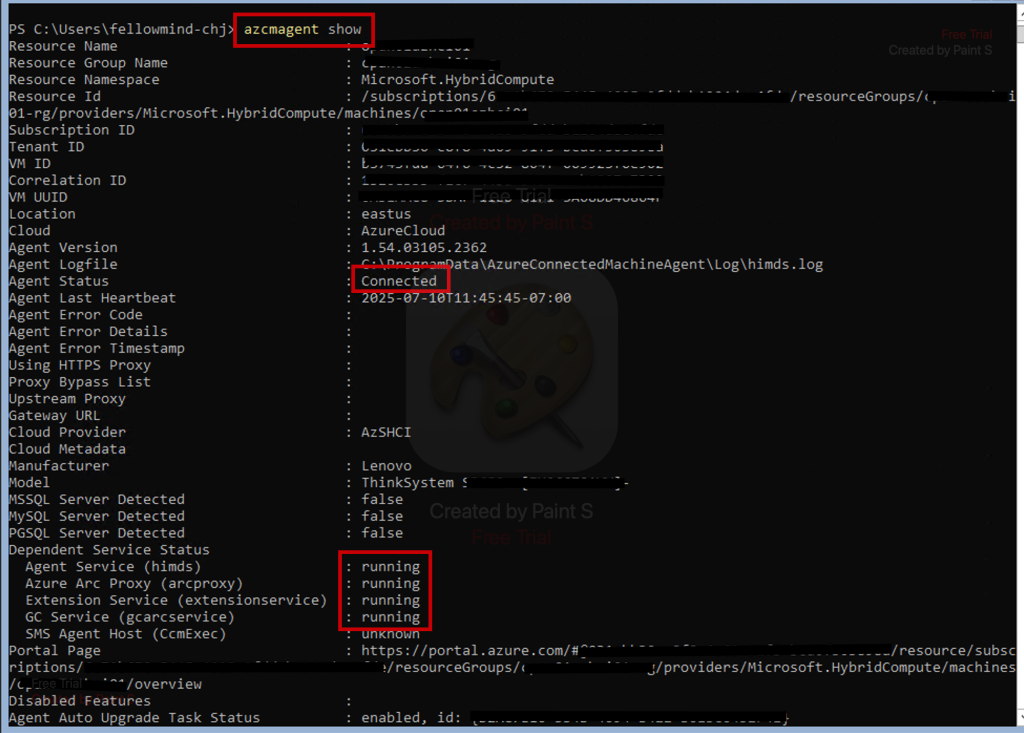 And this command will show us that Arc integration is now enabled on the node: ``` Get-AzureStackHCIArcIntegration ```  Run this command: ``` Sync-AzureStackHCI ``` Installation of extensions should happen automatically, otherwise further remediation is necessary. See the next step.  You can install all the required extensions by using these commands (per node in the stack): ``` # Requires Az.ConnectedMachine PowerShell Module installed $NodeName = "server01" $ResourceGroupName = "" $subscriptionId = "" $location = "West Europe" New-AzConnectedMachineExtension -MachineName $nodeName -Name "AzureEdgeDeviceManagement" -ResourceGroupName $ResourceGroupName -SubscriptionId $subscriptionId -Location $location -Publisher "Microsoft.Edge" -ExtensionType "DeviceManagementExtension" New-AzConnectedMachineExtension -MachineName $nodeName -Name "AzureEdgeLifecycleManager" -ResourceGroupName $ResourceGroupName -SubscriptionId $subscriptionId -Location $location -Publisher "Microsoft.AzureStack.Orchestration" -ExtensionType "LcmController" New-AzConnectedMachineExtension -MachineName $nodeName -Name "AzureEdgeTelemetryAndDiagnostics" -ResourceGroupName $ResourceGroupName -SubscriptionId $subscriptionId -Location $location -Publisher "Microsoft.AzureStack.Observability" -ExtensionType "TelemetryAndDiagnostics" New-AzConnectedMachineExtension -MachineName $nodeName -Name "AzureEdgeRemoteSupport" -ResourceGroupName $ResourceGroupName -SubscriptionId $subscriptionId -Location $location -Publisher "Microsoft.AzureStack.Observability" -ExtensionType "EdgeRemoteSupport" New-AzConnectedMachineExtension -MachineName $nodeName -Name "WindowsPatchExtension" -ResourceGroupName $ResourceGroupName -SubscriptionId $subscriptionId -Location $location -Publisher "Microsoft.CPlat.Core" -ExtensionType "WindowsPatchExtension" ```
Have feedback on this post?
Send me a message and I'll get back to you.
