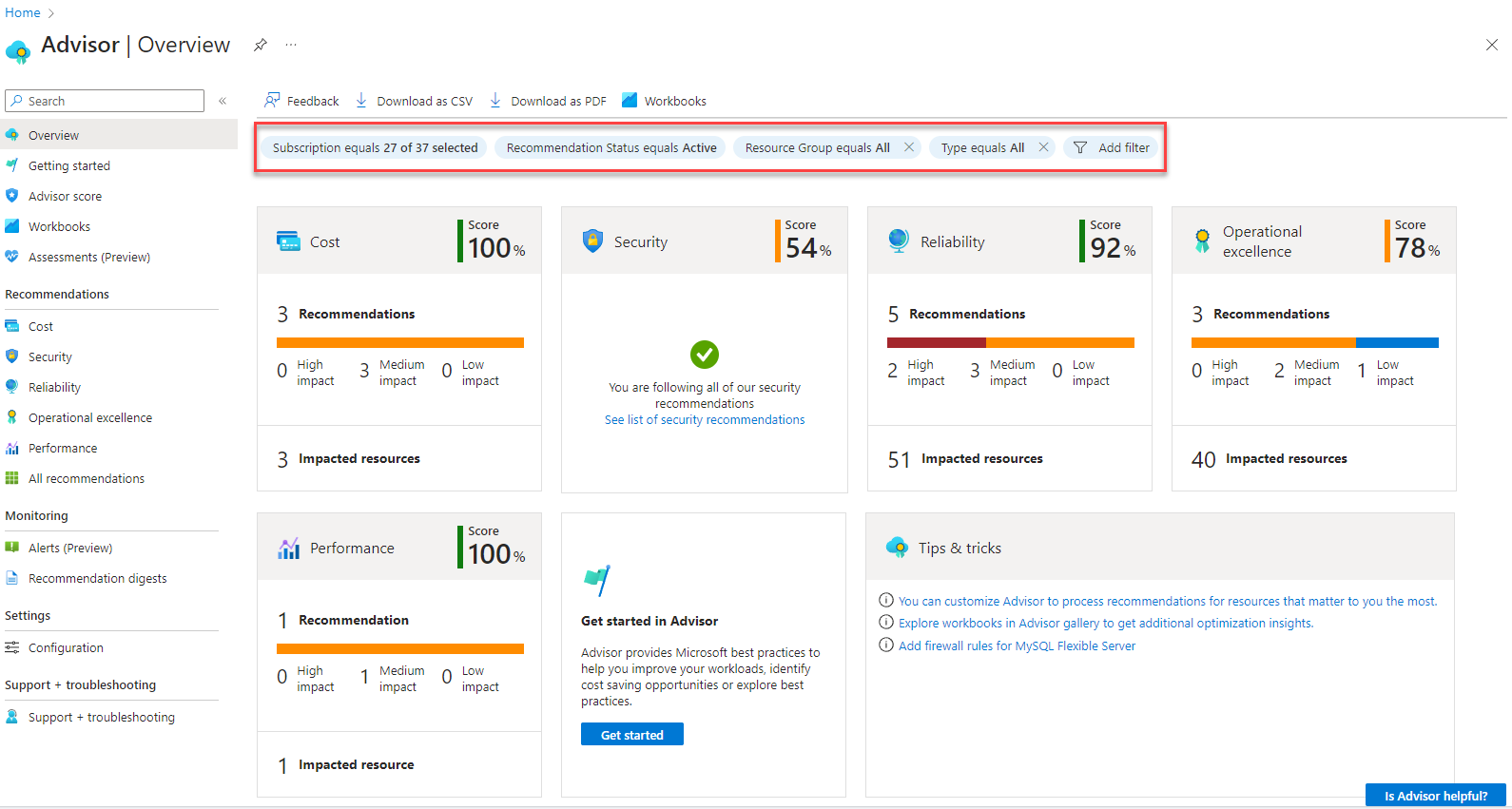
Azure Advisor - Get current recommendation suppressions and export to Markdown
- Intro
- Authenticate and create headers
- List all suppressions in the subscription
- Cross-reference with recommendation details
- Build a Markdown table for documentation
Intro
This article is part of a series: Navigate to series page
In this post, I show how to list all current Azure Advisor recommendation suppressions in a subscription, using PowerShell and the Advisor REST API, and how to turn the result into a Markdown table you can drop straight into your documentation or a pull request description.
Before creating or updating anything with Bicep in the rest of this series, you need a reliable way to see what suppressions already exist. Advisor does not surface this list anywhere in the portal in a way that’s easy to copy out, so a small script is the most practical option.
Authenticate and create headers
First, authenticate and get an access token for Azure Resource Manager:
# Connect to Azure interactively
Connect-AzAccount

$subscriptionId = (Get-AzContext).Subscription.Id
$secureToken = (Get-AzAccessToken -ResourceUrl "https://management.azure.com/").Token
$token = ConvertFrom-SecureString -SecureString $secureToken -AsPlainText

$headers = @{
    "Authorization" = "Bearer $token"
    "Content-Type"  = "application/json"
}
HINT
On current
Az.Accountsversions,Get-AzAccessToken().Tokenreturns aSecureString, not a plain string. Interpolating it directly into the header ("Bearer $token") silently produces an invalid token and anInvalidAuthenticationTokenerror from ARM - always convert it withConvertFrom-SecureString -AsPlainTextfirst.
HINT
Suppressions are always listed at the subscription scope. There is no dedicated management group or resource group level
listendpoint for suppressions - see Part 1 - Known limitations for details. If you need a tenant-wide view, loop this script over every subscription under your management group.
List all suppressions in the subscription
The suppressions list endpoint is paginated through nextLink, so the script needs to follow it until there are no more pages:
# For endpoint details, see:
# https://learn.microsoft.com/en-us/rest/api/advisor/suppressions/list
$apiVersion = "2023-01-01"
$uri = "https://management.azure.com/subscriptions/$subscriptionId/providers/Microsoft.Advisor/suppressions?api-version=$apiVersion"

$allSuppressions = @()
do {
    $response = Invoke-RestMethod -Uri $uri -Method Get -Headers $headers
    $allSuppressions += $response.value
    $uri = $response.nextLink
} while ($uri)

$allSuppressions | ConvertTo-Json -Depth 10
Example output (trimmed) for a subscription with a couple of suppressions:
[
  {
    "id": "/subscriptions/00000000-0000-0000-0000-000000000000/providers/Microsoft.Advisor/recommendations/a1b2c3d4-1111-2222-3333-444455556666/suppressions/reserved-instance-cost-suppression",
    "name": "reserved-instance-cost-suppression",
    "type": "Microsoft.Advisor/suppressions",
    "properties": {
      "suppressionId": "9f8e7d6c-5b4a-3c2d-1e0f-a1b2c3d4e5f6",
      "ttl": "90.00:00:00",
      "expirationTimestamp": "2027-01-19T10:00:00Z"
    }
  },
  {
    "id": "/subscriptions/00000000-0000-0000-0000-000000000000/resourceGroups/rg-avd-prod/providers/Microsoft.Compute/virtualMachines/vm-avd-01/providers/Microsoft.Advisor/recommendations/b2c3d4e5-2222-3333-4444-555566667777/suppressions/high-availability-suppression",
    "name": "high-availability-suppression",
    "type": "Microsoft.Advisor/suppressions",
    "properties": {
      "suppressionId": "1a2b3c4d-5e6f-7a8b-9c0d-e1f2a3b4c5d6",
      "ttl": "07.00:00:00",
      "expirationTimestamp": "2026-09-28T10:00:00Z"
    }
  }
]
Note that the id field contains the full path, including:
- The
resourceUrithe recommendation applies to - either the subscription itself, or a specific resource (like the VM in the second example above) - The
recommendationId- the identifier directly after/recommendations/(not always formatted as a GUID - it can also be a long hex hash, depending on the recommendation type) - The suppression
name- the friendly name you (or a pipeline) gave the suppression when it was created
You will need both the resourceUri and recommendationId again in Part 3 and Part 5 of this series, so it’s worth parsing them out now.
Cross-reference with recommendation details
The suppression list alone doesn’t tell you what recommendation is being suppressed - only IDs. To get a human-readable short description, cross-reference with the recommendations list:
# For endpoint details, see:
# https://learn.microsoft.com/en-us/rest/api/advisor/recommendations/list
$recUri = "https://management.azure.com/subscriptions/$subscriptionId/providers/Microsoft.Advisor/recommendations?api-version=$apiVersion"

$allRecommendations = @()
do {
    $recResponse = Invoke-RestMethod -Uri $recUri -Method Get -Headers $headers
    $allRecommendations += $recResponse.value
    $recUri = $recResponse.nextLink
} while ($recUri)

# Build a lookup table keyed by recommendation identifier
$recommendationLookup = @{}
foreach ($rec in $allRecommendations) {
    $recommendationLookup[$rec.name] = $rec.properties
}
Build a Markdown table for documentation
With both lists in hand, parse each suppression’s id to extract the resourceUri and recommendationId, join against the lookup table, and emit a Markdown table:
function ConvertTo-AdvisorSuppressionMarkdown {
    param(
        [Parameter(Mandatory)] [array]$Suppressions,
        [Parameter(Mandatory)] [hashtable]$RecommendationLookup
    )

    $rows = foreach ($s in $Suppressions) {
        # id looks like: {resourceUri}/providers/Microsoft.Advisor/recommendations/{recommendationId}/suppressions/{name}
        if ($s.id -match "^(?<resourceUri>.+)/providers/Microsoft\.Advisor/recommendations/(?<recommendationId>[^/]+)/suppressions/") {
            $resourceUri = $Matches['resourceUri']
            $recommendationId = $Matches['recommendationId']
        } else {
            $resourceUri = "unknown"
            $recommendationId = "unknown"
        }

        $recProps = $RecommendationLookup[$recommendationId]

        [PSCustomObject]@{
            Resource         = $resourceUri
            Category         = $recProps.category
            Problem          = $recProps.shortDescription.problem
            SuppressionName  = $s.name
            RecommendationId = $recommendationId
            Ttl              = $s.properties.ttl
            ExpiresOn        = $s.properties.expirationTimestamp
        }
    }

    $header = "| Resource | Category | Recommendation | Suppression name | TTL | Expires on |"
    $separator = "|---|---|---|---|---|---|"
    $lines = $rows | ForEach-Object {
        "| $($_.Resource) | $($_.Category) | $($_.Problem) | $($_.SuppressionName) | $($_.Ttl) | $($_.ExpiresOn) |"
    }

    return @($header, $separator) + $lines -join "`n"
}

$markdown = ConvertTo-AdvisorSuppressionMarkdown -Suppressions $allSuppressions -RecommendationLookup $recommendationLookup
$markdown | Out-File -FilePath "./advisor-suppressions.md" -Encoding utf8
$markdown
This produces output like:
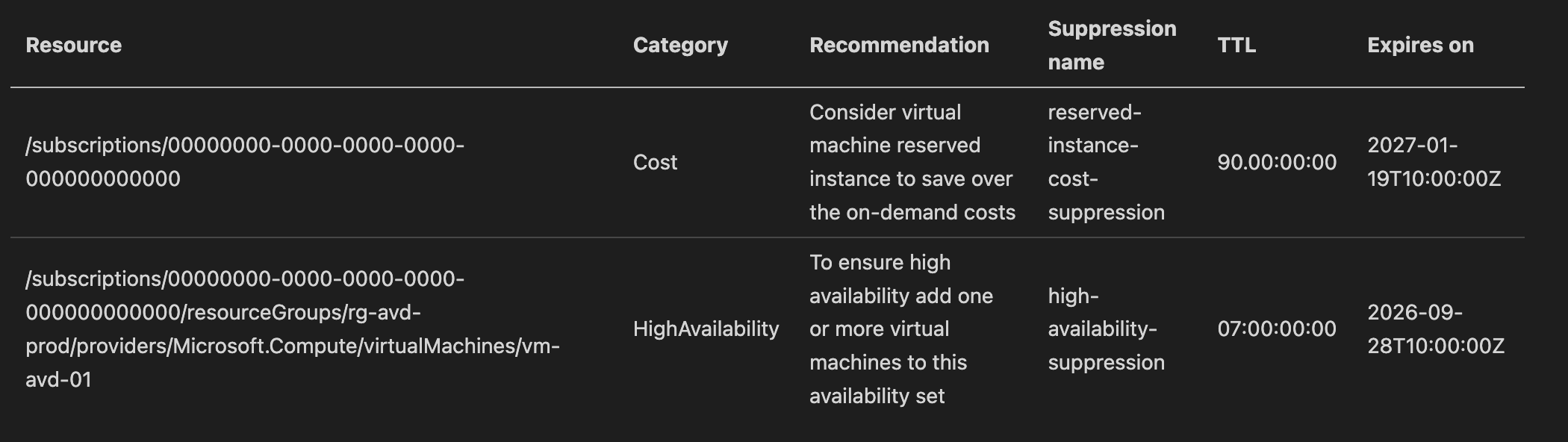
This is a plain Markdown table, so it renders directly in a wiki page, a pull request description, or a docs/ file committed alongside your Bicep templates - handy for keeping a running record of why a suppression exists and when it expires, next to the code that created it.
HINT
If you run this as part of a scheduled pipeline, commit the generated Markdown file back to the repository (or post it as a pipeline artifact) so the documentation never drifts from what’s actually deployed.
In the next post I show how to create a new suppression using Bicep, targeting a specific recommendation such as “Consider virtual machine reserved instance to save over the on-demand costs”:
Azure Advisor - Create a suppression with Bicep
Have feedback on this post?
Send me a message and I'll get back to you.